
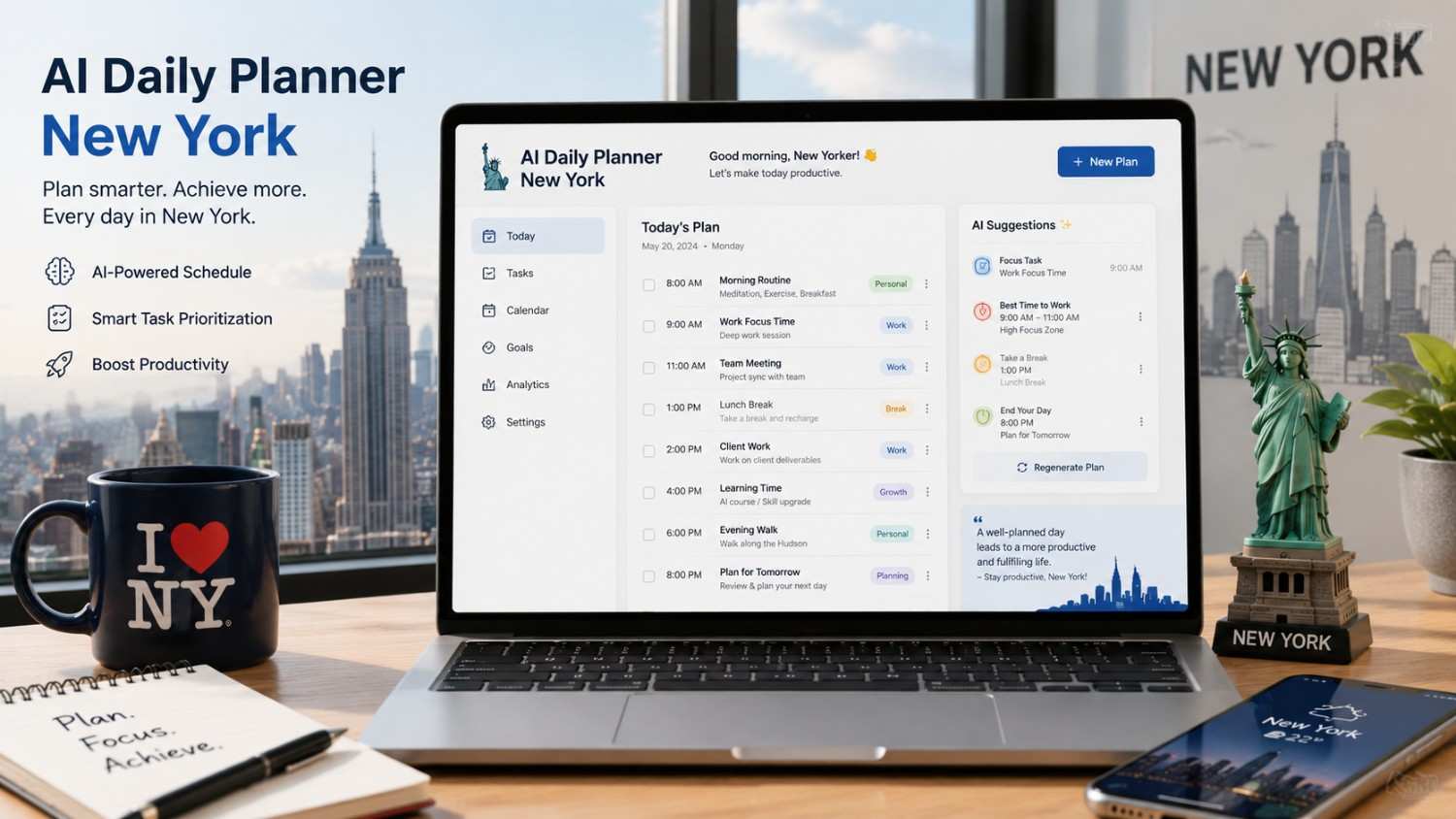
AI Daily Planner New York
Generate a time-blocked daily schedule tailored to your date, location, and lifestyle in New York — holidays, rush hours, and seasonal factors included.
Your AI-Generated Daily Plan
—Plan Notes
—
What Exactly Is the AI Daily Planner New York?
This planner generates a complete, time-blocked daily schedule tailored specifically to life in the New York metropolitan area. Unlike generic daily planners that give you the same template regardless of where you live, this tool factors in the realities that shape how New Yorkers structure their days: subway rush hours that dictate when you should leave your apartment, sunrise and sunset times that shift dramatically between a summer morning in June and a winter morning in January, NYC-specific holidays and events that can transform a regular Tuesday into a completely different kind of day, and commute patterns that vary enormously depending on whether you are taking the 4/5 from the Bronx, the L from Brooklyn, the LIRR from Long Island, or walking from your apartment in the West Village to an office in SoHo.
The planner processes your inputs — the specific date, your neighborhood, your work situation, your commute method, your wake-up time, your health priorities, and what matters most to you on that particular day — and produces a detailed hour-by-hour schedule. Each time block includes not just the activity but context about why it is placed at that time and how it connects to the New York-specific factors affecting your day. A gym block at 6:00 AM in Midtown Manhattan includes a note about which gyms open early and how crowded they are at that hour. A lunch block in the Financial District suggests options based on what is actually open and accessible on that specific date. A commute block accounts for whether you are traveling during peak, shoulder, or off-peak hours on your specific transit line.
The tool recognizes and adjusts for every type of date you might select. Regular weekdays get a standard work-oriented structure. Weekends get a completely different rhythm. Federal holidays where city offices and most businesses close get adjusted schedules. NYC-specific dates — like the day of the Thanksgiving Day Parade, New Year’s Eve in Times Square, or the July 4th fireworks on the East River — trigger special planning considerations. Seasonal changes affect the entire schedule: a January workday in New York has roughly nine and a half hours of daylight, while a June workday has over fifteen hours, which fundamentally changes when you can realistically plan outdoor exercise, errands, or social activities.
Why New York Demands a Different Kind of Daily Planner
Planning your day in New York City is fundamentally different from planning your day in almost any other American city, and using a generic planner that does not account for these differences means your schedule will be at best suboptimal and at worst completely unrealistic. The gaps between what a generic planner suggests and what actually works in New York are not minor — they are large enough to make the difference between a day that flows and a day that falls apart by 10:00 AM.
Rush Hour Precision
NYC rush hours are not abstract concepts — they are specific 90-minute windows where your commute time can double or triple. The planner schedules your departure to hit the shoulder of rush hour, not the peak.
Holiday and Event Awareness
A weekday that is a federal holiday, a city-wide event, or a school closure day requires a completely different schedule. The planner recognizes these dates and adjusts accordingly.
Seasonal Daylight Planning
New York’s daylight range is enormous — from about 9 hours in late December to over 15 hours in late June. This changes when outdoor activities, exercise, and errands are actually feasible.
Borough-Specific Context
Life in Staten Island operates on a different rhythm than life in Manhattan. The planner adjusts commute times, lunch options, and evening activities based on your actual location.
Consider the commute factor alone. A generic planner might tell you to “leave for work at 8:00 AM.” But if you are taking the E train from Forest Hills to Midtown Manhattan, leaving at 8:00 AM puts you in the heart of rush hour and your 45-minute normal commute becomes 65-75 minutes. If you leave at 7:30 AM instead — just 30 minutes earlier — you catch the pre-rush wave and your commute is closer to 40 minutes. That 30-minute shift in departure time saves you 25-35 minutes of actual travel time and gets you to your desk before the chaos. Over the course of a year, that is roughly 100-140 hours of your life given back to you. The planner makes these micro-optimizations automatically because it knows the transit patterns.
The seasonal daylight factor is equally significant. A generic planner puts “outdoor run” at 6:30 AM year-round. In June, that is fine — the sun is already up and it is light outside. In December, 6:30 AM in New York is pitch black and 30 degrees. That is not a realistic outdoor run for most people — it is a plan that will be skipped within two days. The planner moves outdoor exercise to a time when there is actually daylight and adjusts the entire morning routine accordingly. These are not theoretical improvements — they are the difference between a plan you follow and a plan you abandon.
How to Use This AI Daily Planner (Takes 15 Seconds)
Pick Your Date
Select the specific date you are planning for. The planner reads the day of the week, checks for holidays and events, and calculates sunrise/sunset for that exact date.
Set Your Context
Choose your area, day type, commute method, and wake-up time. These inputs shape the entire schedule — especially commute timing and work block placement.
Choose Priorities
Select your focus area and exercise preference. A “productivity” focus creates longer deep-work blocks; a “health” focus prioritizes exercise and meal prep.
Generate and Adjust
Hit generate to get your full schedule. Review the time blocks, note the NYC-specific tips, and adjust any block to fit your actual commitments.
How Different Date Types Change Your New York Schedule
Not all days are created equal in New York. The table below shows how the planner adjusts your schedule based on the type of date you select.
| Date Type | Examples | Key Schedule Changes | Transit Impact |
|---|---|---|---|
| Regular Weekday | Most Mondays–Fridays | Standard work blocks, rush hour commute, lunch at 12:00–1:00 PM | Peak service, crowded 7:30–9:00 AM and 5:00–6:30 PM |
| Federal Holiday (Weekday) | MLK Day, Presidents Day, July 4th, Labor Day | No work block unless specified, reduced transit, many businesses closed | Weekend-style schedule, reduced subway frequency |
| NYC-Specific Holiday | Trick-or-Treat (Oct 31), NYC Public School Closure Days | School closures affect family schedules; some offices open, some closed | Near-normal weekday service unless city-wide closure |
| Weekend (Regular) | Most Saturdays and Sundays | No commute block, flexible structure, brunch options, outdoor time | Weekend service (less frequent, no express trains on some lines) |
| Weekend + Major Event | Marathon Sunday, Pride Sunday, San Gennaro Festival | Street closures, rerouted transit, crowded areas to avoid or join | Significant reroutes and delays on affected lines |
| Seasonal Transition | First warm week (April), first cold week (November) | Exercise moves indoor/outdoor, wardrobe transition, different lunch spots | Minimal transit impact; behavioral shift is the key factor |
| Day Before Holiday | Wednesday before Thanksgiving, December 24 | Reduced work expectation, early departures, lighter afternoon traffic | Afternoon rush starts earlier and is lighter than usual |
| Day After Holiday | Friday after Thanksgiving, December 26 | Many people off, shopping-focused if retail, quiet offices | Lighter than normal; some weekend service patterns |
| Election Day (November) | First Tuesday after first Monday in November | NYC public schools closed; many private offices open; polling places busy | Near-normal; some street closures near polling locations |
| Summer Friday | Fridays June–August in many NYC offices | Shortened workday (half-day common), earlier weekend start | Lighter afternoon rush; more weekend-style service |
The planner checks your selected date against all of these categories and adjusts the schedule accordingly. Federal holidays are detected automatically. NYC-specific events and seasonal transitions are identified by date range and day-of-week patterns. The result is a schedule that reflects what New York actually looks like on that specific date — not a one-size-fits-all template.
The NYC Factors That Shape Every Daily Plan
New York is not just another city with longer commutes. It has structural characteristics that fundamentally alter how you need to plan your day, and failing to account for them is the primary reason generic planners fail for New Yorkers.
- The subway is not a suggestion — it is the schedule: For approximately 3.5 million riders per day, the New York City subway is not optional — it is the infrastructure that determines when they can arrive at work, when they can get home, and how much of their day is consumed by transit. A delay on the 2/3 line does not just add 10 minutes to your commute — it can add 30-45 minutes and cascade through your entire day. The planner accounts for typical travel times on different routes and schedules departure times to avoid the peak of rush hour, which reduces both travel time and the risk of delay-related disruption.
- Daylight is a finite and seasonal resource: New York City sits at approximately 40.7 degrees north latitude — roughly the same as Madrid, Naples, and Beijing. This means dramatic seasonal daylight variation: sunrise on the winter solstice is around 7:20 AM with sunset at 4:30 PM (about 9 hours and 10 minutes of daylight), while on the summer solstice, sunrise is around 5:25 AM with sunset at 8:31 PM (about 15 hours and 6 minutes). That is a six-hour difference in available daylight between the shortest and longest days of the year. For anyone who exercises outdoors, walks a dog, runs errands on foot, or simply prefers natural light, this fundamentally changes what is feasible at any given time of day depending on the season. The planner adjusts outdoor activity windows based on the actual sunrise and sunset for your selected date.
- Rush hour has a shape, not just a time: NYC morning rush hour is not a flat block from 7:00-9:00 AM. It has a specific shape: it begins building around 6:30 AM, hits its first peak between 7:45-8:15 AM (as office workers with 9:00 AM start times travel), briefly dips, then has a second smaller peak around 8:45-9:15 AM (as workers with 9:30-10:00 AM start times and school commuters travel). The sweet spot for a faster, less crowded commute is typically 7:00-7:30 AM or 9:15-9:45 AM — the shoulders. The evening rush has a similar shape with the primary peak between 5:15-6:00 PM. The planner aims for these shoulder windows when possible.
- Lunch in New York is a logistical operation: In a city where your office might be surrounded by 50 food options within a three-block radius, deciding where and when to eat lunch is not trivial. Between 12:00-12:30 PM, every deli, salad bar, and chop shop in Midtown and the Financial District has a line that can consume 15-25 minutes of your lunch hour. If you go at 11:30 AM or 1:00 PM instead, the same food is available with minimal or no wait. The planner schedules your lunch block to avoid the peak crush, which effectively gives you 10-15 more minutes to actually eat or take a walk.
- Weather is a daily variable that generic planners ignore: While this planner does not pull real-time weather data (since it generates schedules for any date, including future dates), it factors in seasonal weather patterns. A January morning plan in New York assumes temperatures in the 25-38 degree range and adjusts outdoor activities, commute timing (walking to the subway in winter gear takes longer), and clothing changes. A July plan assumes 75-90 degrees with high humidity and schedules water breaks, indoor cooling periods, and lighter evening activities. These seasonal adjustments prevent you from generating a plan that looks great on paper but is physically miserable to execute in actual New York weather.
- The borough gap is real: A plan that works for someone living in the West Village and working in SoHo (15-minute walk) is completely irrelevant for someone living in Bay Ridge, Brooklyn and working in Midtown Manhattan (45-minute subway ride involving a transfer). The planner accounts for your specific area and commute method to generate realistic time allocations. If you selected Staten Island with a ferry commute, your schedule includes the ferry schedule’s constraints. If you selected walking in Manhattan, your schedule assumes no commute time buffer at all and uses that time for other activities.
- NYC has its own holiday calendar beyond federal holidays: While federal holidays (New Year’s Day, MLK Day, Independence Day, etc.) are recognized citywide, New York has additional dates that affect daily life: NYC public schools have their own closure calendar that does not perfectly match the federal schedule (for example, schools are open on Veterans Day but closed for Lunar New Year in many districts), the United Nations General Assembly in September causes midtown traffic and security disruptions, Fashion Week in February and September affects the Garment District and parts of the West Side, and dozens of neighborhood street fairs and festivals close streets and reroute buses on weekends from April through October. The planner recognizes the major ones and adjusts accordingly.
Different Approaches to Daily Planning in New York
There is no single right way to plan your day in New York — but some methods work much better than others given the city’s unique constraints. Here is an honest comparison.
- Time-Blocking (This Planner’s Approach) — Pros: Assigns every block of your day a specific purpose, which eliminates decision fatigue and the “what should I do next?” paralysis that wastes enormous amounts of time. Particularly effective in New York because it forces you to account for commute time explicitly rather than treating it as an afterthought. Creates realistic expectations — you can see exactly how many productive hours you actually have after commute, meals, and sleep are accounted for. Cons: Can feel rigid and overly structured, especially on days when unexpected things happen (a subway delay, a spontaneous meeting, a friend visiting from out of town). Requires discipline to follow — a time-blocked schedule that you ignore is worse than no schedule at all because it creates guilt. Not ideal for people whose work is highly variable day-to-day (emergency responders, certain service workers, event staff).
- Priority-Based Planning — Pros: Instead of assigning specific times, you list your top 3-5 priorities for the day and tackle them in order. Flexible — if a subway delay eats your morning, you just start your priorities when you arrive. Works well for New Yorkers whose commute times are unpredictable or whose work involves frequent interruptions. Less mental overhead to set up. Cons: Without time boundaries, a single priority can expand to fill the entire day, leaving other important tasks undone. Does not naturally account for NYC-specific time constraints — you might plan to “go to the gym” without considering that the gym near your office is packed from 5:30-7:00 PM and you will wait 20 minutes for a treadmill. Easier to let the day get away from you.
- Minimal Planning / Go With the Flow — Pros: Zero planning overhead — you wake up and respond to whatever comes. Works for rare days off where the goal is relaxation, or for people whose New York experience is about spontaneity and discovery. No guilt when plans change because there were no plans. Cons: In New York, going with the flow on a workday means you will likely waste 1-2 hours on inefficiencies that a simple plan would have eliminated — waiting in the wrong rush hour, forgetting to eat until 2:00 PM when everything nearby has a line, realizing at 8:00 PM that you never got to the one thing you needed to do. For tourists, a small amount of planning dramatically improves the experience; for residents, even minimal structure pays enormous dividends.
- Digital App-Based Planning (Google Calendar, Notion, etc.) — Pros: Portable, syncs across devices, can integrate with real-time data (transit alerts, weather, meeting invites). Recurring events (weekly team meetings, regular gym classes) are handled automatically. Easy to share with others (spouse, assistant, team). Cons: Most calendar apps are not NYC-aware — they do not know about subway rush hours, seasonal daylight, or NYC-specific events. They are tools for storing plans, not generating them. You still need to do the thinking about when to schedule things and why. This planner fills that gap by generating the initial schedule that you can then import into your preferred app.
What This Planner Cannot Do — And How To Adapt
This planner generates an optimized starting point for your day — not a perfect, unchangeable script. Understanding its limitations helps you use it effectively.
- No real-time transit data: The planner uses typical travel times and rush hour patterns, but it cannot check whether the F train is running with delays on your specific date or whether your station has elevator outages. For real-time conditions, check the MTA website or apps like Citymapper and Transit immediately before you leave. If there is a disruption, shift your schedule by the estimated delay amount.
- No real-time weather data: The planner uses seasonal averages, but an unexpected snowstorm in March or a 95-degree day in May can change what is feasible. Check the actual weather forecast the night before and the morning of your planned date, and adjust outdoor blocks accordingly.
- It does not know your personal calendar: The planner does not integrate with your Google Calendar, Outlook, or any scheduling tool. If you have a 2:00 PM dentist appointment or a 10:00 AM team standup, those are not reflected in the generated schedule. The intended workflow is: generate the plan, then manually adjust the time blocks around your fixed commitments.
- Commute times are estimates: The commute durations used in the planner are typical ranges for each area and method, but your actual commute depends on your specific origin and destination, the exact subway line or route you take, walking distance to and from stations, and real-time conditions. A “Subway from Brooklyn” estimate of 35 minutes might be 25 minutes if you live one stop from Manhattan or 55 minutes if you live deep in Brooklyn with a transfer. Treat the commute block as a starting estimate and adjust it to your actual experience.
- It cannot predict your energy level: The planner assumes a typical energy curve (highest in late morning, dip after lunch, second wind in late afternoon), but your actual energy pattern might be different. If you are a night owl, the early-morning deep-work block may not be your most productive time. Adjust the schedule to match when you actually do your best work.
- NYC events are not exhaustively cataloged: The planner recognizes major holidays and large-scale events, but it cannot track every street fair, parade, film shoot, or construction project that might affect your specific neighborhood on a given day. For hyperlocal conditions, check your community board website or local neighborhood social media groups the day before.
What Happens With Your Information
Nothing — your date selection, area, day type, commute method, wake-up time, exercise preference, focus priority, and evening wind-down choice are processed entirely in your browser. No data is sent to any server. No personal, location, or schedule information is stored, logged, or transmitted. No cookies track your planning. The moment you close this tab, your data ceases to exist on your device. Your daily schedule is your business — this tool respects that absolutely.
Frequently Asked Questions
Yes — you can select any date in the date picker, whether it is tomorrow, six months from now, or a date last month. The planner calculates the day of the week, checks for holidays, and estimates sunrise/sunset based on the date’s position in the year. For past dates, the schedule is still useful as a reference or for planning similar future dates. For future dates, keep in mind that transit schedules, construction patterns, and specific events may change between now and then — the planner gives you the best estimate based on typical conditions for that time of year.
The planner maintains a database of significant New York City dates that affect daily schedules beyond the standard federal holiday calendar. This includes NYC public school closure dates (which differ from federal holidays in several cases — for example, NYC schools are typically closed for Lunar New Year but open on Columbus Day/Indigenous Peoples’ Day), major annual events like the NYC Marathon (first Sunday in November, which causes street closures along the route through all five boroughs), the Thanksgiving Day Parade (which closes sections of the Upper West Side and Midtown), and major cultural events that affect specific neighborhoods. When you select a date that falls on one of these events, the planner adjusts commute recommendations and flags the event in the schedule notes.
Yes — the planner includes options for Long Island, Westchester County, and New Jersey (commute to NYC). These areas have their own distinct daily rhythms: Long Island commuters typically use the LIRR and face different rush hour patterns than subway commuters, Westchester commuters use Metro-North with its own schedule, and New Jersey commuters may use PATH, NJ Transit, or the ferry depending on their specific location. The planner adjusts commute time estimates and scheduling recommendations accordingly. If you live in one of these areas and work remotely (no NYC commute), the schedule will reflect a non-commute day with appropriate local context.
Yes — the sunrise and sunset estimates automatically adjust for daylight saving time. In 2025, DST begins on March 9 (clocks spring forward) and ends on November 2 (clocks fall back). The planner knows these dates and adjusts the daylight calculations accordingly. The schedule also includes a subtle note on the first Monday after each DST transition, as those days are notoriously disruptive to sleep schedules and energy levels — many New Yorkers report feeling off for 2-3 days after each change, and the planner slightly reduces the intensity of the early-morning blocks on those days.
The planner is optimized for standard daytime schedules (roughly 6:00 AM – 11:00 PM wake-sleep windows). If you work night shifts, evening shifts, or highly irregular hours, the generated schedule will need significant manual adjustment. The best approach for shift workers is to select the “Day Off” day type (which gives the most flexible template) and then rearrange the time blocks to match your actual wake-sleep cycle. The commute timing advice and rush hour information will still be relevant — just applied to your actual travel times instead of the standard morning/evening commute windows.
The commute estimates are typical ranges based on MTA published travel times and real-world experience, not real-time data. A “Subway from Brooklyn” one-way commute is estimated at 30-45 minutes, which covers most Brooklyn-to-Manhattan trips. A “Subway from Queens” estimate is similar. “LIRR from Long Island” is estimated at 45-75 minutes depending on how far out you are. “Walking in Manhattan” is estimated at 10-25 minutes. These are reasonable starting points, but your specific commute may be shorter or longer. The planner uses the midpoint of the range for scheduling. After generating your first plan, adjust the commute block to match your actual experience and use that adjusted time for future plans.
Currently, the planner generates one day at a time. For weekly planning, the recommended approach is to generate a plan for a typical Monday, copy the structure, then generate plans for other weekdays and adjust for any day-specific differences (meetings, appointments, events). For weekend planning, generate one Saturday and one Sunday plan as templates. This approach is actually more effective than a bulk weekly generation because it forces you to consider each day’s unique circumstances rather than applying a uniform template to five different days that may have very different realities.
No — this planner complements calendar apps rather than replacing them. Think of it as the thinking tool that generates the schedule, and your calendar app as the storage tool that holds it. The recommended workflow is: generate your daily plan here, review and adjust the time blocks, then manually enter the final version into Google Calendar, Outlook, or whatever app you use. Calendar apps are excellent at storing and reminding you of schedules but terrible at helping you create an intelligent schedule in the first place — they have no awareness of rush hours, daylight, holidays, or NYC-specific factors. This planner fills that creation gap.
No. Your date, area, day type, commute method, wake-up time, exercise preference, focus priority, and evening preference are processed in your browser and never leave your device. No server receives this data, no history is stored, no cookies are created. Your daily schedule is personal — this tool treats it that way. Close the tab and it is completely gone.