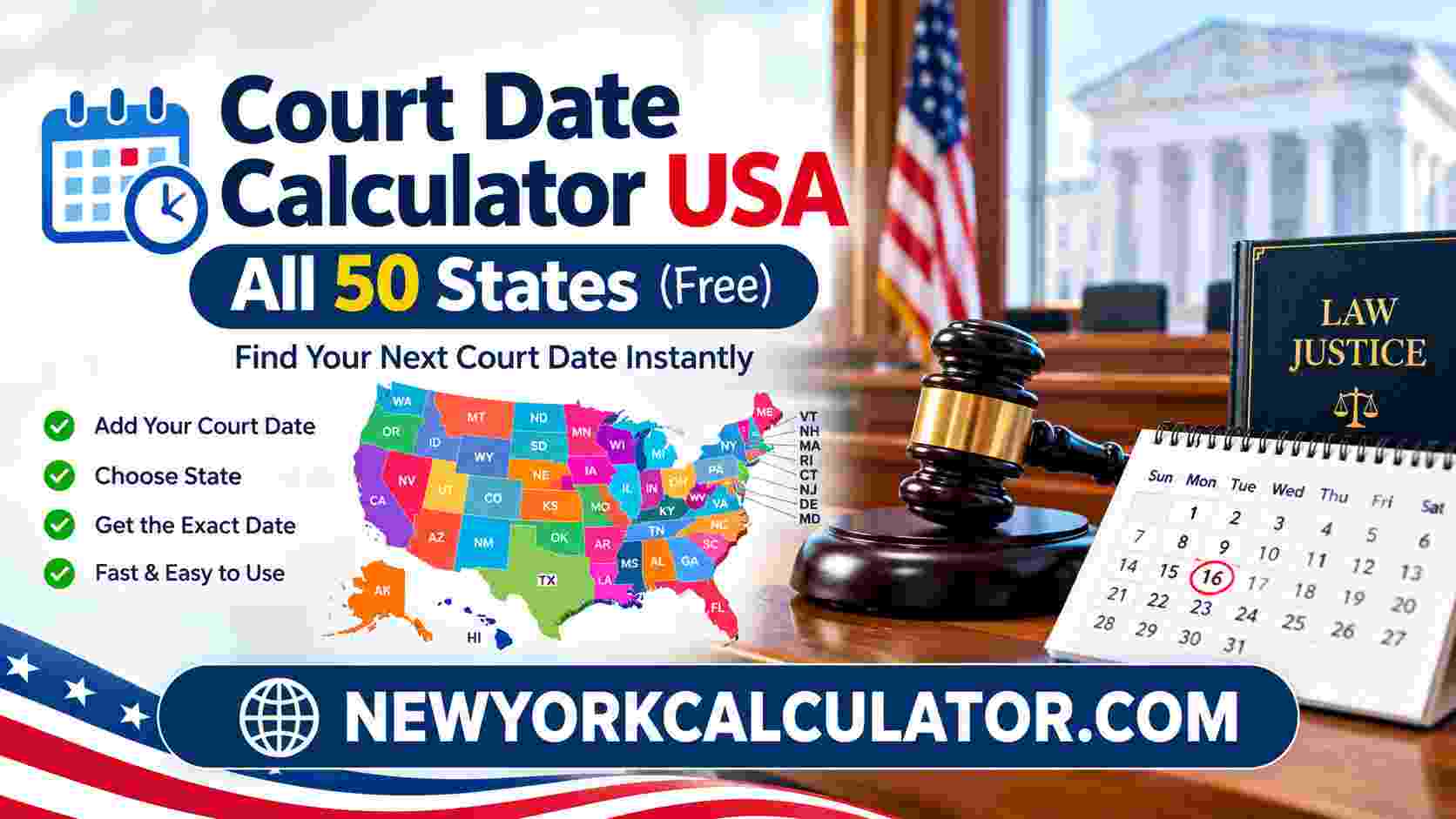
Court Date Calculator USA: All 50 States
Estimate a calendar date, organize reminders, and learn where to verify court deadlines in every US state. Use the calculator for preliminary planning, then confirm any legal deadline with the court rules and orders that apply to your case.
Calculate an Estimated Court Date
Select your jurisdiction and date-counting options. This tool does not independently apply each state’s legal rules.
This result is an estimate only. Confirm the actual date using the official rules and orders for your court.
How to Use This Court Date Calculator
- Select one of the 50 states, Federal Court, or Other Jurisdiction.
- Choose a purpose so the result is easier to identify in your notes.
- Enter the starting date and the number of days to add or subtract.
- Choose calendar days or weekdays. These are mathematical counting options, not a determination of the rule that governs your case.
- Review the starting-date and weekend settings. Leave an option unchecked if you do not want that adjustment.
- Press Calculate Date. Read the displayed result and save a reminder if useful.
- Before relying on a deadline, verify the applicable court rule, local rule, holiday calendar, service method, and any order in your case.
Tip: Keep a record of the official source you used to verify the date. If the deadline affects your rights, contact a qualified lawyer or the relevant court for procedural information.
Court Date Calculator USA: A Guide to All 50 States
A court date can be important for many reasons: attending a hearing, responding to a complaint, filing a document, meeting a deadline, or preparing for a scheduled proceeding. A missed deadline may have serious consequences, so it is understandable that people look for an easy way to calculate dates and create reminders. A Court Date Calculator USA can help with preliminary calendar planning, but it must be used with care.
The United States does not operate a single court system with one universal deadline rule for every legal matter. Federal courts apply federal rules, while state courts operate under their own constitutions, statutes, procedural rules, local rules, and administrative requirements. County and municipal courts may also publish their own calendars and instructions. Even within the same state, the correct procedure may differ according to the type of case and the court handling it. The official USA.gov courts guide provides a starting point for locating federal, state, and local court information.
This guide explains how to use the calculator, what to check before relying on a result, and where to begin looking for official court information in each of the 50 states. The individual state sections are research starting points, not a representation that the calculator contains every current procedural rule.
What Does a Court Date Calculator Do?
A date calculator performs calendar arithmetic. Depending on its settings, it can add a number of days to a starting date, subtract days from it, count calendar days, or skip Saturdays and Sundays. It can also help users create a reminder so an estimated date is not forgotten. Those functions can be helpful when organizing paperwork, creating a personal checklist, or preparing questions for a lawyer or court clerk.
However, a calendar calculation does not identify which law applies to a specific filing. It cannot determine whether the starting event is legally correct, whether the service method changes the time allowed, whether an order sets a different date, or whether a special rule applies. It also cannot assume that every Saturday, Sunday, or public holiday is treated identically by every court. Always verify the underlying rule before treating a result as a legal deadline.
Calendar Days vs. Weekdays
Calendar days count every date on the calendar, including Saturdays and Sundays. Weekdays-only counting skips Saturdays and Sundays. The difference can be substantial, particularly over a period that spans several weekends. Yet a legal rule may specify calendar days, court days, business days, hours, or another counting method. Some rules also treat short periods differently from longer periods.
For example, the federal civil procedure rules contain a specific rule for computing time in proceedings governed by those rules. That does not mean the same rule automatically governs a state case, a different federal proceeding, or a deadline set by a special statute. Read the exact rule that applies to your situation rather than choosing the option that seems most convenient.
Why the Starting Date Matters
Before calculating, identify the event from which the time period legally begins. It might be a filing, service of a document, entry of an order, receipt of a notice, or another event specified by a rule. The date printed on a document is not always the date that controls the deadline. Electronic service, mail, personal service, weekends, and court-specific procedures can affect the analysis.
The calculator’s “exclude the starting date” option is a mathematical setting. It is not a legal conclusion that the first day must always be excluded. Some rules expressly specify how the first and last days are counted. The user must confirm whether the setting matches the controlling rule.
Weekends, Holidays, and Court Closures
A weekend adjustment can move a calculated Saturday or Sunday date to Monday. It does not establish that Monday is the lawful deadline. Monday could be a court holiday, a day when a courthouse is closed, or a date affected by a special order. Certain electronic filing systems also have deadlines based on a particular time and time zone. The relevant court may publish its own holiday calendar and filing instructions.
Do not assume that a federal holiday list automatically answers the question for every state or local court. Check the court’s official calendar and any rules governing the type of filing you need to make. If an order states a specific date, review the order carefully and seek clarification from a qualified legal professional if necessary.
How to Verify a Court Deadline
- Identify the exact court, including the state, county, division, and whether the matter is state or federal.
- Find the current procedural rule, statute, order, or official notice that creates the time limit.
- Confirm the triggering event and whether the starting date is included or excluded.
- Check whether weekends and holidays count during the period and what happens if the last day falls on a nonbusiness day.
- Confirm any additional time associated with the method of service, if the rule provides for it.
- Check the court’s filing cut-off time, electronic filing instructions, and official holiday calendar.
- Record the source and create a reminder well before the verified deadline.
Using Official Court Websites
Official court websites are usually the best place to find current court rules, forms, contact details, filing instructions, and calendars. A general search result or third-party calculator may be useful for orientation, but it should not replace the governing rule. The federal courts website publishes the Federal Rules of Civil Procedure, which apply to civil proceedings in United States district courts within their scope.
For state cases, begin with the relevant state judiciary and then locate the specific court that has the case. Some states have separate appellate, trial, family, probate, juvenile, traffic, or municipal courts. A state-level website may link to county-level courts, local rules, and court calendars. Use the state sections below as a starting point and confirm the information for the court named on your paperwork.
Alabama Court Date Calculator
For an Alabama matter, begin with the Alabama Judicial System. Identify whether the case is in a circuit, district, probate, municipal, or appellate court. Then locate the procedural rule and local instructions that apply to the specific proceeding. Check the relevant court’s holiday calendar and filing requirements before using a calculated date as a deadline. The calculator can help organize a tentative date, but the official rule determines how time is counted.
Alaska Court Date Calculator
Use the Alaska Court System to identify the court handling the case and find current rules, forms, and calendars. Alaska’s geographic distances and local court arrangements can make it especially important to verify the correct court location and the accepted filing method. Review the rule governing the type of case rather than relying only on a calendar-day estimate. Confirm whether a hearing date has already been set by an official notice or order.
Arizona Court Date Calculator
Start with the Arizona Judicial Branch. Arizona matters may involve superior, justice, municipal, or appellate courts, depending on the issue. Find the court named in the paperwork and review its rules and calendar. A deadline for a filing may be different from the date of a hearing or appearance. Use the calculator to plan and create reminders, then confirm the governing time-computation rule and any local instructions from the court.
Arkansas Court Date Calculator
The Arkansas Judiciary is the starting point for court information and rules. First determine whether the matter is handled by a circuit, district, or appellate court, or another court with jurisdiction. Review the current rules for the relevant case type and the official calendar. Do not assume a weekend adjustment resolves a deadline automatically. Verify the final date under the applicable rule, particularly when the last day falls during a court closure or holiday period.
California Court Date Calculator
Visit the California Courts website and identify the superior court or appellate court connected to the case. California has extensive statewide rules as well as local rules and county court procedures. Review both where applicable, and check the specific court’s holiday calendar and electronic filing instructions. A simple date calculation cannot decide whether a particular deadline has a special rule or service-related extension. Confirm the actual deadline with the rule and court information that govern your case.
Colorado Court Date Calculator
Begin with the Colorado Judicial Branch. Locate the correct district, county, municipal, or appellate court and review the rules for that court and proceeding. Check whether the court publishes local filing instructions, hearing information, or holiday closures. Do not treat a date generated by the calculator as an official court deadline. If the case involves an order or notice with a stated date, compare the calculator result against the official document and ask a qualified professional if they conflict.
Connecticut Court Date Calculator
The Connecticut Judicial Branch provides court information, forms, and procedural resources. Determine which court and case category apply before selecting a counting method. Check the current rules, standing orders, calendar, and filing instructions associated with the matter. A general weekday calculation may be useful for personal planning, but it does not establish whether Connecticut’s governing rule counts a particular weekend or holiday. Confirm the final date and filing time with the official court source.
Delaware Court Date Calculator
For Delaware, start at the Delaware Courts website. Identify whether the matter belongs in a justice of the peace court, Court of Common Pleas, Superior Court, Family Court, Court of Chancery, or another court. Each court’s jurisdiction and procedure may differ. Find the rules and local instructions for the specific proceeding, then verify the calendar and filing requirements. Use the calculator only to estimate a date after you have identified the event and period specified by the governing rule.
Florida Court Date Calculator
The Florida Courts website links to information about the state’s court system and rules. Determine whether the case is in a circuit, county, or appellate court and find the applicable procedural rules. Local administrative orders, court calendars, and filing instructions may also matter. Before relying on a calculated deadline, check the rule for the specific proceeding and any order entered in the case. Confirm whether the court has published holiday or closure information that affects filing or attendance.
Georgia Court Date Calculator
Start with the Georgia Courts website and identify the court handling the matter. Georgia has multiple court levels, including superior, state, probate, magistrate, juvenile, and appellate courts. Look for the rules and local instructions that apply to the case type and venue. Verify the court calendar and any filing cut-off requirements. A calculator can help you track a tentative date, but the controlling rule and official court documents must be used to determine the actual legal deadline.
Hawaii Court Date Calculator
The Hawaii State Judiciary is the starting point for statewide court information. Confirm the correct court and location, then review its current rules, forms, orders, and published calendars. If a matter involves an island-specific court location or a scheduled appearance, verify the date and any attendance or filing instructions directly with the court. Do not assume that a general weekend or weekday setting captures every applicable legal requirement. Keep a record of the official source used to verify the deadline.
Idaho Court Date Calculator
Use the Idaho State Judiciary website to locate court rules, forms, and official information. Determine whether the case is handled by a magistrate, district, or appellate court and review the applicable rules. Check local court instructions and the court’s published schedule where available. A calculator result does not confirm that the starting event or counting method is legally correct. Before filing or attending, verify the date against the official notice, order, and rules for the specific proceeding.
Illinois Court Date Calculator
The Illinois Courts website provides statewide court information and rule resources. Identify the circuit or appellate court and the county in which the matter is pending. Review the applicable statewide rules alongside any local rules or standing orders. Confirm the court’s holiday calendar, filing instructions, and the exact deadline stated in official documents. The calculator’s calendar-day and weekday options are only arithmetic choices; they do not determine which Illinois rule applies to a particular case.
Indiana Court Date Calculator
Begin with the Indiana Judicial Branch. Find the court handling the case and look for the relevant procedural rules, local orders, and calendar information. Indiana matters can involve different trial court divisions and appellate proceedings, so the case type and court name are important. Verify whether the deadline comes from a statute, rule, notice, or judge’s order. Use a date estimate to organize your work, then confirm the actual due date and filing method through official court information.
Iowa Court Date Calculator
The Iowa Judicial Branch is the official starting point for court rules, forms, and court information. Identify the appropriate district or appellate court and check the rules relevant to the case. Look for official schedules, local requirements, and any instructions about electronic filing or attendance. A calendar calculation is useful for planning, but it does not account for every procedural exception or court closure. Confirm the legal counting method before treating a result as a filing or response deadline.
Kansas Court Date Calculator
Visit the Kansas Judicial Branch to locate court rules, forms, and official court resources. Confirm the district, municipal, or appellate court involved and check any applicable local rules. Determine whether the date is a hearing date already assigned by the court or a deadline that must be calculated from an event. Check the official calendar and filing instructions. Use the calculator to support organization, but rely on the applicable rule and official court notice to verify the date.
Kentucky Court Date Calculator
The Kentucky Court of Justice provides information about Kentucky courts and procedural resources. Identify the correct court, case category, and any rule or order setting the time period. Review local procedures and the official calendar before making plans. A date calculator cannot determine whether a special rule changes the calculation or whether the court has issued a later order. Compare your estimate with the official paperwork, and obtain qualified guidance if the calculation is unclear or a deadline is close.
Louisiana Court Date Calculator
Start with the Louisiana Supreme Court website and follow its court-system resources to the court handling the matter. Louisiana procedure may differ by case type and court, so identify the governing procedural code, rule, or order rather than assuming a generic national approach. Review the court’s official calendar and filing instructions. A calculator can help with a preliminary date, but only the applicable Louisiana authority can establish the correct legal computation for your proceeding.
Maine Court Date Calculator
The Maine Judicial Branch provides information about courts, rules, and services. Identify the correct court and the rules that apply to the specific proceeding. Check official notices, court schedules, local instructions, and filing requirements. Do not rely on the calculator to determine whether a holiday, closure, or special rule changes a date. Use it to plan reminders, then verify the final deadline from the rule or order and confirm any uncertainty with a qualified legal professional or the court.
Maryland Court Date Calculator
Begin with the Maryland Judiciary. Determine whether the matter is in a District Court, Circuit Court, or appellate court, then locate the relevant rules and local instructions. Review official calendars and any court order that specifies a date. A simple calendar calculation cannot account for every procedural detail, including the event that triggers the period or rules for a particular type of filing. Confirm the applicable computation rule before relying on an estimated deadline.
Massachusetts Court Date Calculator
The Massachusetts Court System provides court information and rule resources. Massachusetts has several court departments, and procedures can differ according to the type of matter. Identify the department and court handling the case, then review the relevant rules, standing orders, and calendar. Official Massachusetts rules demonstrate why generic date arithmetic should not be mistaken for legal computation: a rule may specify how to treat the first day, last day, weekends, or legal holidays. Check the current rule for your particular proceeding.
Michigan Court Date Calculator
Visit the Michigan Courts website to find rules, forms, and information about the court system. Determine whether the matter belongs in a district, circuit, probate, or appellate court, and check the applicable statewide and local rules. Review official hearing notices, filing instructions, and court calendars. The calculator cannot determine which procedural rule controls or whether an order changes the ordinary time period. Confirm the final date using official sources before acting.
Minnesota Court Date Calculator
The Minnesota Judicial Branch provides court rules and court information. Identify the district, appellate, or other court involved and review the rules applicable to the proceeding. Minnesota’s published rules include provisions about computing time, but the correct rule depends on the type of case and the authority that sets the deadline. Verify current rules, local requirements, and official calendars. Use the calculator as a reminder tool, not as a replacement for the rule governing your case.
Mississippi Court Date Calculator
Start with the Mississippi Judiciary website. Find the court handling the matter and review the current rules, local procedures, and any orders that establish a time limit. Confirm the official court calendar and the accepted filing method. The calculator does not verify the applicable Mississippi rule or account for every possible holiday and closure. Before using an estimated date for a response, filing, or appearance, check the actual deadline in official documents and seek qualified advice when necessary.
Missouri Court Date Calculator
The Missouri Courts website is the starting point for rules, forms, and court information. Determine whether the case is in a circuit, associate circuit, municipal, or appellate court. Review applicable statewide rules and any local requirements, then check the official calendar and filing instructions. Do not assume that the weekend adjustment or weekday-only option represents the correct Missouri legal method. Confirm the triggering event, counting rule, and final date against the relevant official authority.
Montana Court Date Calculator
Use the Montana Judicial Branch website to locate court rules and information. Identify the relevant district, justice, city, municipal, or appellate court and verify the procedural rules for the case. Check court schedules, local requirements, and the official notice or order. Travel distances and the court location may also matter for attending a hearing, so confirm where and when you must appear. Treat the calculator result as an estimate until verified under the governing rule.
Nebraska Court Date Calculator
The Nebraska Judicial Branch provides official court information and resources. Determine which court is handling the case and locate the current rules and any local procedures. Check the court’s published calendar and instructions for filing or attendance. The calculator does not know whether a specific statutory deadline, case order, or service method changes the calculation. Confirm the date with the applicable rule and official documents, and keep a reminder well ahead of any verified deadline.
Nevada Court Date Calculator
Begin with the Nevada Judiciary. Locate the district, justice, municipal, or appellate court relevant to the matter. Review the rules and any local procedures, as well as official court calendars and filing requirements. A calculated date does not account automatically for Nevada-specific legal requirements or individual court orders. If the case involves a response or appeal, check the exact authority governing that period and verify the date with a qualified legal professional when the consequences of an error could be serious.
New Hampshire Court Date Calculator
The New Hampshire Judicial Branch is the starting point for official rules and court information. Identify whether the matter belongs in superior, circuit, probate, or appellate court and check the relevant procedures. Confirm the official calendar, location, and filing method. Do not assume that all deadlines use the same method of counting days. Use the calculator for preliminary planning, then verify the final date from the rule, notice, or order that governs the particular proceeding.
New Jersey Court Date Calculator
Visit the New Jersey Courts website for court rules, forms, and official information. Identify the relevant court division and county, then review applicable statewide rules, local procedures, and administrative orders. Check official calendars and filing instructions. A calculator cannot decide whether a deadline has a special counting provision or whether a particular court order sets a different date. Verify the triggering event and calculation method using current official sources before relying on a result.
New Mexico Court Date Calculator
The New Mexico Courts website provides a starting point for court information and rules. Determine whether the case is in a district, magistrate, metropolitan, probate, or appellate court and find the current procedural requirements. Check local instructions, official schedules, and the relevant order. The calculator cannot determine whether a specific rule or statute changes the usual counting method. Confirm the actual deadline and the time by which a document must be filed or a person must appear.
New York Court Date Calculator
Start with the New York State Unified Court System. New York has multiple trial courts, specialized courts, and appellate courts, so identify the exact court and county involved. Review the applicable procedural rules, local rules, administrative orders, and official calendar. Do not assume that a general date calculation applies equally to every court or case type. Confirm the specific time-computation rule and filing requirements before treating an estimated date as a legal deadline.
North Carolina Court Date Calculator
The North Carolina Judicial Branch provides court rules, forms, and calendar information. Determine whether the matter is in district, superior, or appellate court and check the rules governing that case. Review any local administrative requirements and the court’s official schedule. A date calculation alone cannot establish how a North Carolina rule treats weekends, holidays, or a particular triggering event. Verify the deadline using the current rule and official case documents.
North Dakota Court Date Calculator
Use the North Dakota Courts website to locate court rules and official information. Identify the relevant district, municipal, or appellate court and review the procedure that applies to the case. Check the court calendar, local instructions, and any order setting a date. The calculator is useful for planning a tentative date, but it does not know which legal counting method controls. Confirm the exact deadline and filing requirements with official court sources.
Ohio Court Date Calculator
The Supreme Court of Ohio website provides statewide court rules and related resources. Identify the court and county handling the matter, then review statewide rules alongside any applicable local rules or orders. Check official calendars and filing instructions, especially where electronic filing or a specific hearing time is involved. The calculator cannot determine whether a deadline is governed by a special rule. Confirm the final date from the authority that applies to the case.
Oklahoma Court Date Calculator
Begin with the Oklahoma State Courts Network and court resources. Identify the court and case type, then find the relevant rules, local procedures, and official calendar. Check whether a document’s deadline comes from a rule, statute, notice, or order. A generic calendar calculation does not account for all possible exceptions or court closures. Verify the correct computation method and filing cut-off time before acting on the estimated date.
Oregon Court Date Calculator
The Oregon Judicial Department provides official court information and procedural resources. Identify the circuit or appellate court and county relevant to the case. Review the current rules and any supplemental local requirements, then check official calendars and filing instructions. The calculator does not independently apply Oregon’s procedural rules or determine whether a special deadline applies. Use it to organize a tentative date and verify the legal deadline from the governing rule and official documents.
Pennsylvania Court Date Calculator
Visit the Unified Judicial System of Pennsylvania for court rules and official resources. Determine whether the case belongs in a magisterial district court, court of common pleas, or appellate court. Check the rules for that court and any county-specific procedures or orders. Review official calendars and filing requirements. A date calculator cannot decide which Pennsylvania time-computation rule applies to the proceeding, so confirm the exact date before relying on the result.
Rhode Island Court Date Calculator
The Rhode Island Judiciary website is the starting point for court rules, forms, and schedules. Identify the court handling the case and locate its applicable rules and local instructions. Verify the official calendar and any filing or attendance requirements. The calculator can help create a preliminary date and reminder, but it cannot account automatically for a court order, special statutory period, or closure. Confirm the controlling rule before treating the date as a deadline.
South Carolina Court Date Calculator
Start with the South Carolina Judicial Branch. Identify the relevant court and case category, then check the current procedural rules and any local requirements. Official South Carolina rules illustrate why a calculator should not be used as a substitute for legal research: time computation may include specific provisions for the triggering day, the final day, weekends, and holidays. Review the exact rule that governs your case and confirm court calendar information before relying on an estimated date.
South Dakota Court Date Calculator
The South Dakota Unified Judicial System provides official court resources. Determine the court and proceeding involved, then locate current rules, local instructions, and any orders setting a time limit. Check the official court calendar and filing method. The calculator does not determine whether a particular statute or procedural rule changes the date-counting method. Confirm the legal deadline through the relevant court and keep a reminder that allows time to address unexpected filing or scheduling issues.
Tennessee Court Date Calculator
Visit the Tennessee Administrative Office of the Courts and court system for official information. Identify the relevant trial or appellate court and check the rules and local procedures for the matter. Confirm the official hearing calendar and filing instructions. The calculator is a planning aid, not a substitute for Tennessee procedural rules or a judge’s order. Verify whether the rule specifies a particular method of counting days or a special treatment of weekends and holidays.
Texas Court Date Calculator
The Texas Judicial Branch provides court information and rule resources. Identify the specific court and case type, then check the current procedural rules, local rules, standing orders, and official calendars. Texas deadlines can depend on the applicable rule and the procedural event that triggers the time period. Do not assume the calculator’s weekend adjustment determines the legal result. Verify the deadline and electronic filing cut-off with the official court source before taking action.
Utah Court Date Calculator
Start with the Utah State Courts website. Find the court handling the matter and review the current rules for the relevant proceeding. Utah’s published rules include specific provisions for computing time, but the applicable rule must still be identified for the case at hand. Check local instructions, official calendars, and any order that sets a deadline. Use the calculator to organize your plans and verify the result against the rule and court documents.
Vermont Court Date Calculator
The Vermont Judiciary website provides court rules, forms, and official information. Determine which court and case category apply, then review current rules, local requirements, and official schedules. Confirm the correct court location and filing instructions. The calculator does not verify the governing Vermont deadline or account for all legal exceptions. Use it to estimate and record a date, then check the relevant rule or order before relying on the result for a filing or hearing.
Virginia Court Date Calculator
Begin with the Virginia Judicial System. Identify whether the case is in general district, circuit, juvenile and domestic relations, or appellate court, then review the applicable rules and local procedures. Check the official calendar and filing instructions for the court involved. A calculator cannot determine whether a special statute or order affects the deadline. Confirm the date against official rules and case documents, and seek qualified help if the rule is unclear.
Washington Court Date Calculator
Visit the Washington Courts website to locate court rules, forms, and information. Determine whether the matter belongs in district, superior, municipal, or appellate court. Review statewide rules and any applicable local court rules, then confirm the official calendar and filing procedures. The calculator does not independently apply Washington rules or account for every holiday and closure. Verify the legal deadline using the rule and official notice that apply to the specific proceeding.
West Virginia Court Date Calculator
The West Virginia Judiciary provides official court resources and rule information. Identify the court handling the case and locate the procedural rules, local requirements, and official calendar. Check the document or order that sets the time limit and determine which event triggers the count. A general calculator cannot decide whether a special rule changes the result. Confirm the date and filing requirements directly from current official sources before relying on the estimate.
Wisconsin Court Date Calculator
Start with the Wisconsin Court System. Identify the circuit or appellate court involved and review the current rules and local requirements. Check official calendars, filing instructions, and any order that specifies a deadline. The calculator can help organize a tentative date, but it does not identify the correct Wisconsin rule for every case or account for all exceptions. Confirm the actual deadline and filing cut-off using official court information.
Wyoming Court Date Calculator
The Wyoming Judicial Branch website is a starting point for court information and procedural resources. Identify the relevant circuit, district, or appellate court and find the current rules for the matter. Review local instructions and the court’s official calendar. A calculated date does not establish that the correct rule, trigger event, or counting method has been used. Verify the date against the applicable rule and any official notice or order before relying on it.
Federal Court Deadlines: A Separate Check
Federal court proceedings are not simply another state-level option. Different federal proceedings may be governed by different rules. For example, the Federal Rules of Civil Procedure govern civil proceedings in United States district courts within their scope. Other proceedings may have their own procedural rules and local requirements. Start at USCourts.gov and the official website of the federal court involved. Verify the applicable rule, the event that triggers the period, the last day, holidays, and filing cut-off time. Do not assume a state rule applies to a federal case, or vice versa.
Practical Checklist Before Relying on a Date
- Have I identified the exact court and case type?
- Have I located the current rule, statute, notice, or order that creates the deadline?
- Have I confirmed which event starts the counting period?
- Have I verified whether calendar days, court days, business days, or hours apply?
- Have I checked the treatment of weekends, holidays, and court closures?
- Have I confirmed the filing method, time zone, and deadline cut-off?
- Have I recorded the official source and set an early reminder?
If you cannot answer these questions confidently, do not treat the calculator result as a verified legal deadline. Contact a qualified attorney or the court for appropriate procedural information. A court clerk may explain administrative procedures but may not be able to provide legal advice about what you should do in your case.
Official Court Resources
These national resources can help you find the right court and the rules that apply to a proceeding.
- USA.gov: Federal, state, territory, county, and municipal courts — start here when you need to locate a court.
- United States Courts — official federal court information.
- Federal Rules of Civil Procedure — rules for civil proceedings in federal district courts within their scope.
Official rules and links can change. Confirm that the page you use is current and applies to the court and case involved.
Frequently Asked Questions
Does this calculator include all 50 US states?
Yes. All 50 states are available in the jurisdiction dropdown and each state has a separate section in the guide. The tool does not automatically apply every state’s current legal deadline rules.
Can I use the result as an official court deadline?
No. The result is a calendar estimate. Confirm the controlling rule, triggering event, court holiday calendar, filing cut-off, and any order that applies to your case.
What is the difference between calendar days and weekdays?
Calendar days include weekends. Weekdays-only counting skips Saturday and Sunday. A court rule may use a different method, so choose based on the purpose of your estimate and verify the legal rule separately.
Does the calculator know court holidays?
No. It does not have a verified database of all federal, state, county, and local court holidays or closures. Check the official court calendar.
Does every state use the same time-counting rule?
No. Rules can differ by jurisdiction, case type, statute, court order, and triggering event. Federal rules should not be assumed to govern state matters.
What does excluding the starting date mean?
It means the starting date is not counted as the first day in the calculator’s arithmetic. Whether that method is legally correct depends on the applicable rule.
Does moving a weekend date to Monday make it legally correct?
No. Monday may be a holiday or subject to a different rule. The optional adjustment is a planning feature, not a legal determination.
Can I download a calendar reminder?
Yes. Calculate a date and choose Download Calendar Reminder. Check the imported date in your calendar app and verify the actual legal deadline separately.
Where should I verify a federal deadline?
Start with the official federal court handling the case and the procedural rules governing that proceeding. USCourts.gov provides federal court resources.
Can this tool replace a lawyer?
No. It provides date arithmetic and general information, not legal advice. For a deadline that could affect your rights, consult a qualified lawyer.
About the Publisher

Junaidul Islam
Founder & Publisher, NewYorkCalculator.com
NewYorkCalculator.com publishes practical online calculators and informational guides to help readers organize everyday calculations. This court date calculator is designed for preliminary planning. Readers should verify legal deadlines through official court rules, notices, and orders.
Contact Junaidul Islam